Price a movie or a micro drama with the credit calculator
The credit calculator shows what a movie or a micro drama will cost in credits, before you buy any and before you sign up. It uses today's prices, the same ones every button in the studio charges. Open it from Credit calculator in the footer of any page, or from Open the credit calculator on Buy credits.
Pick a length
Choose Movie or Micro drama at the top, then Pick a length.
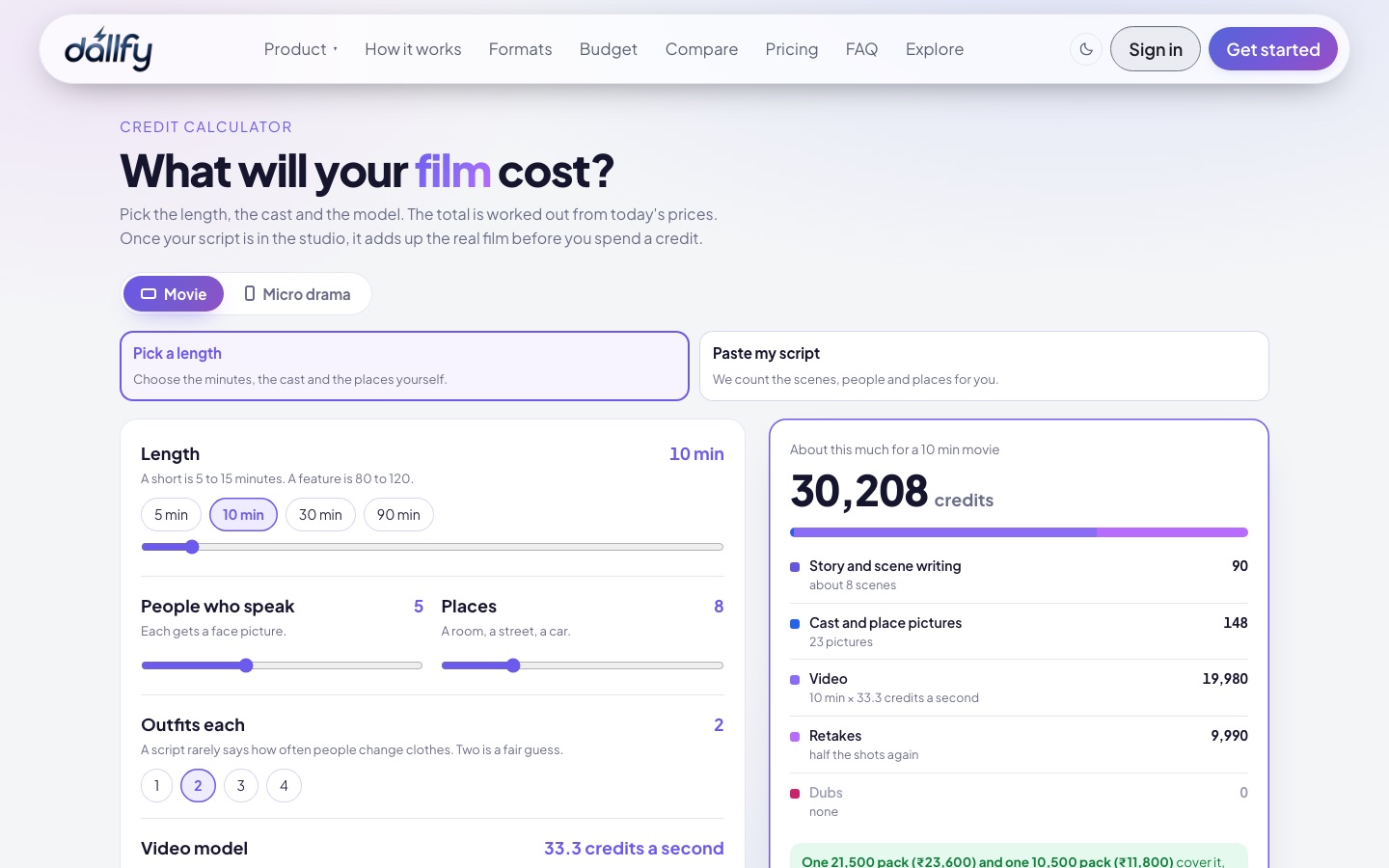
- 1Movie is one film, wide. Micro drama is a vertical drama in episodes —
- 2Pick a length — you choose the minutes, the cast and the places.
- 3Paste my script — the calculator counts them from your script instead.
- 4For a movie, its length in minutes. For a micro drama, how many episodes and how long each runs —
- 5The total, in credits. It changes as you change anything on the left —
- 6Each row says how it was worked out. Video is the length times the model's credits a second —
Under the length, set how many people speak, how many places the story uses, how many outfits each person wears, the video model and its quality, how many shots you expect to make again, and how many languages you want it dubbed into. Under the total, the calculator names the credit packs that cover it and what they cost.
Paste your script
Press Paste my script and paste your whole script, in any language, or press Open a file for a text file. The calculator counts the scenes, the people who speak and the places, works out how long the film runs, and prices that film.
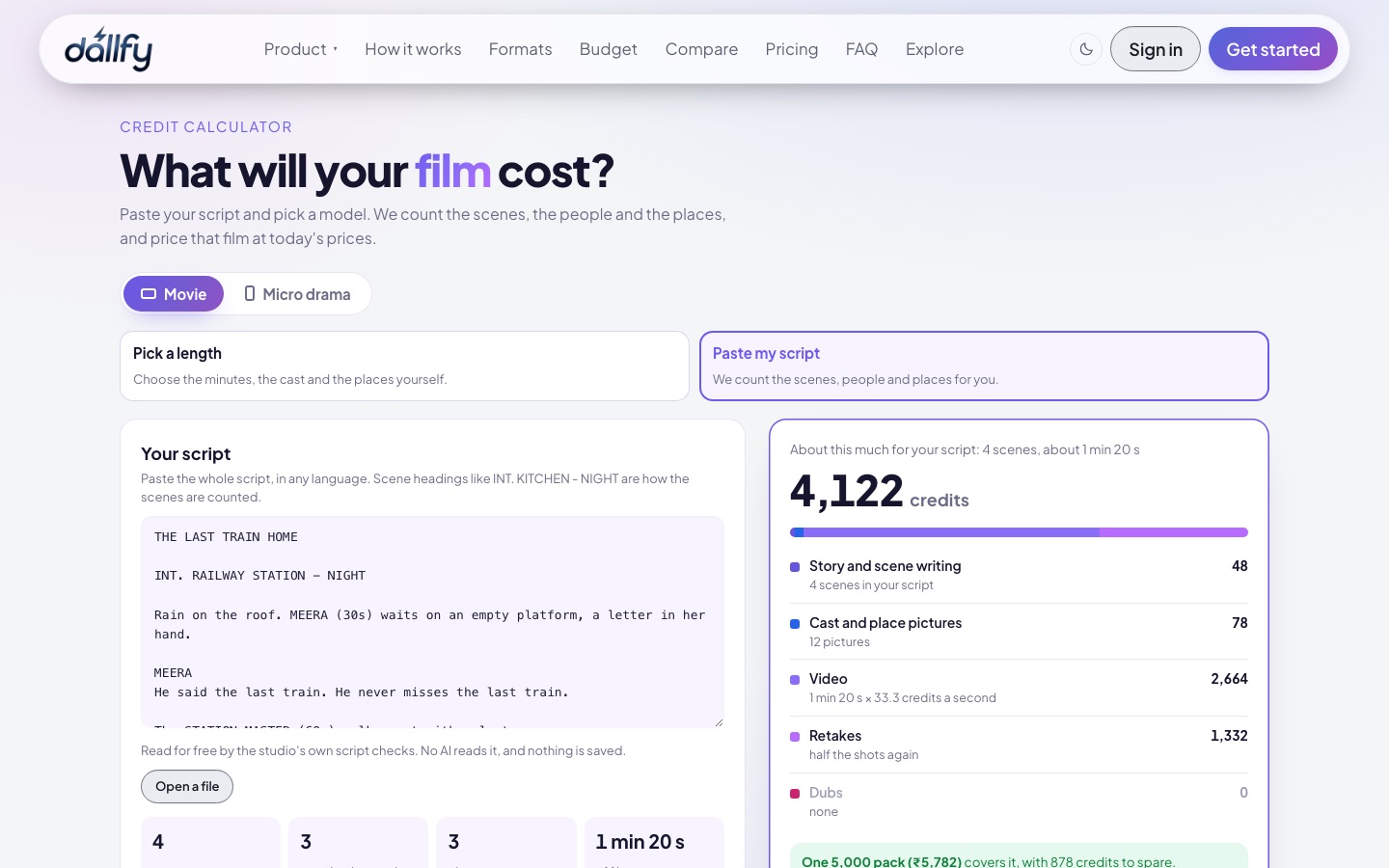
- 1Your script. Scene headings like INT. KITCHEN — NIGHT are how the scenes are counted.
- 2Open a text file instead of pasting —
- 3What was read — scenes, people who speak, places, and how long the film runs.
- 4The price of your script's film —
The script is read for free by the studio's own script checks. No AI reads it, and nothing is saved.
Press Start with this script and, once you have signed up, the studio opens New project with your script already in it.
What it leaves out
The calculator does not count the descriptions Design writes for each picture, score and sound effects, upscaling, trailers or posters. Once your script is in a project, the Script stage adds up the whole film, with those included where they apply: see [What a whole film will cost](/help/whole-film-price).