Make a trailer and poster for your film
Poster / Trailer is the step after Edit. It reads your script and your rendered blocks, writes a trailer, cuts it, and designs a poster from a scene of your film, in five sizes.
Write the brief
Open Poster / Trailer, then Trailer. Choose what kind of trailer you want: a Teaser (30 s), a Theatrical trailer (1:30), a Full one (2:30) or a vertical Reel (20 s). Then its feel, and who speaks.
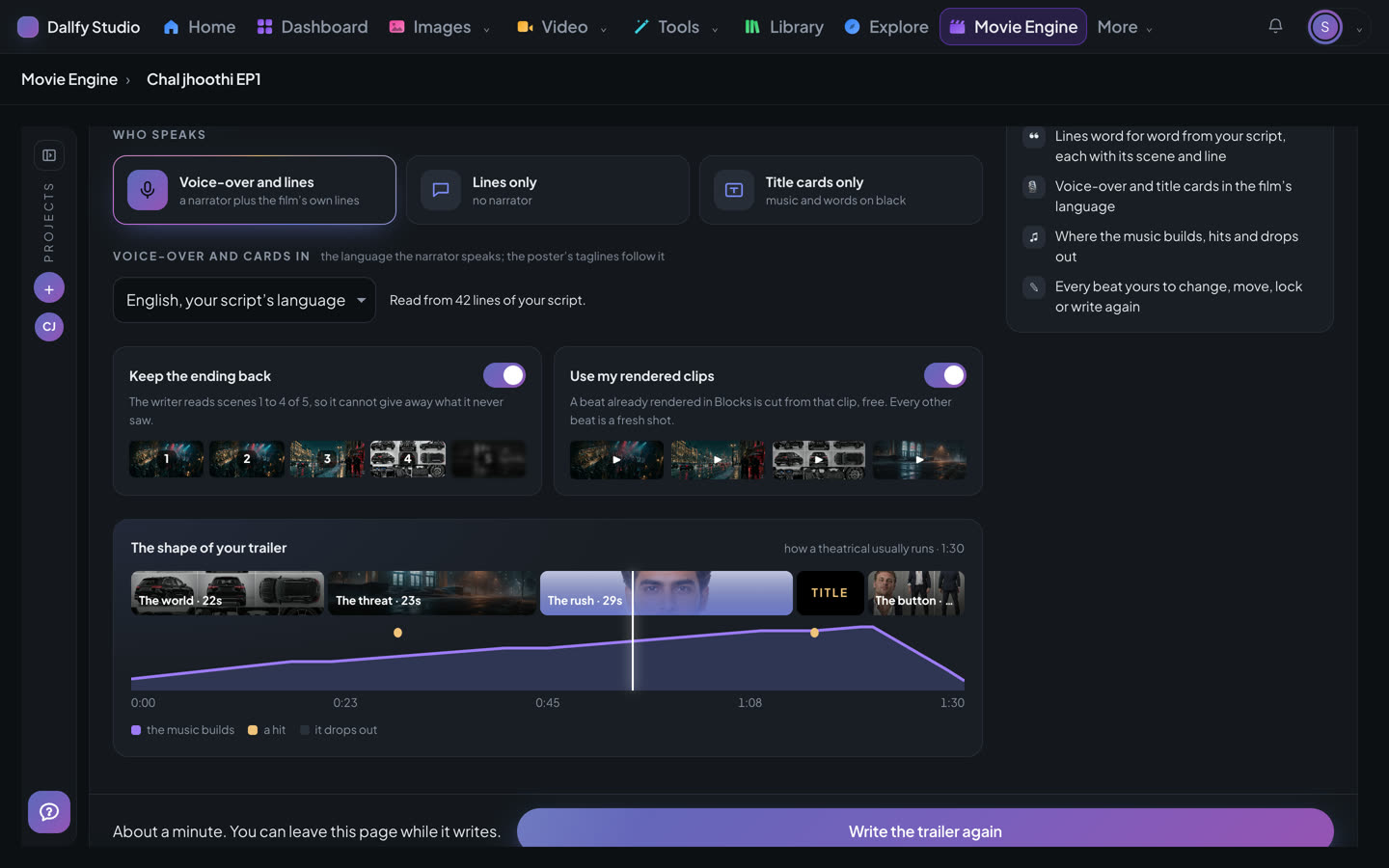
- 1Who speaks — a narrator and the film's own lines, the lines alone, or title cards with music.
- 2The language of the voice-over and the cards. It starts on your script's own language; choose another here —
- 3Keep the ending back, so the trailer never gives it away —
- 4Cut beats from the blocks you've already rendered, free —
Under the language, Narrator voice says who reads the voice-over. Press Choose a voice to hear the studio's voices, each in your film's language, and pick one, free. Or open Make a voice, describe the voice you want, and hear three made for you, reading your trailer's own lines; the one you choose is kept under Your voices for your next trailers, up to three, and can read your Motion explainers too (it is listed first on an explainer's Voice and music step). With no voice chosen, the studio picks one that speaks the trailer's language.
Press Write the trailer. It takes about a minute, and you can leave the page while it writes.
Read the trailer script
The trailer is laid out at a glance, in five parts: the world, the threat, the rush, the title and the last beat. Every line is word for word from your script.
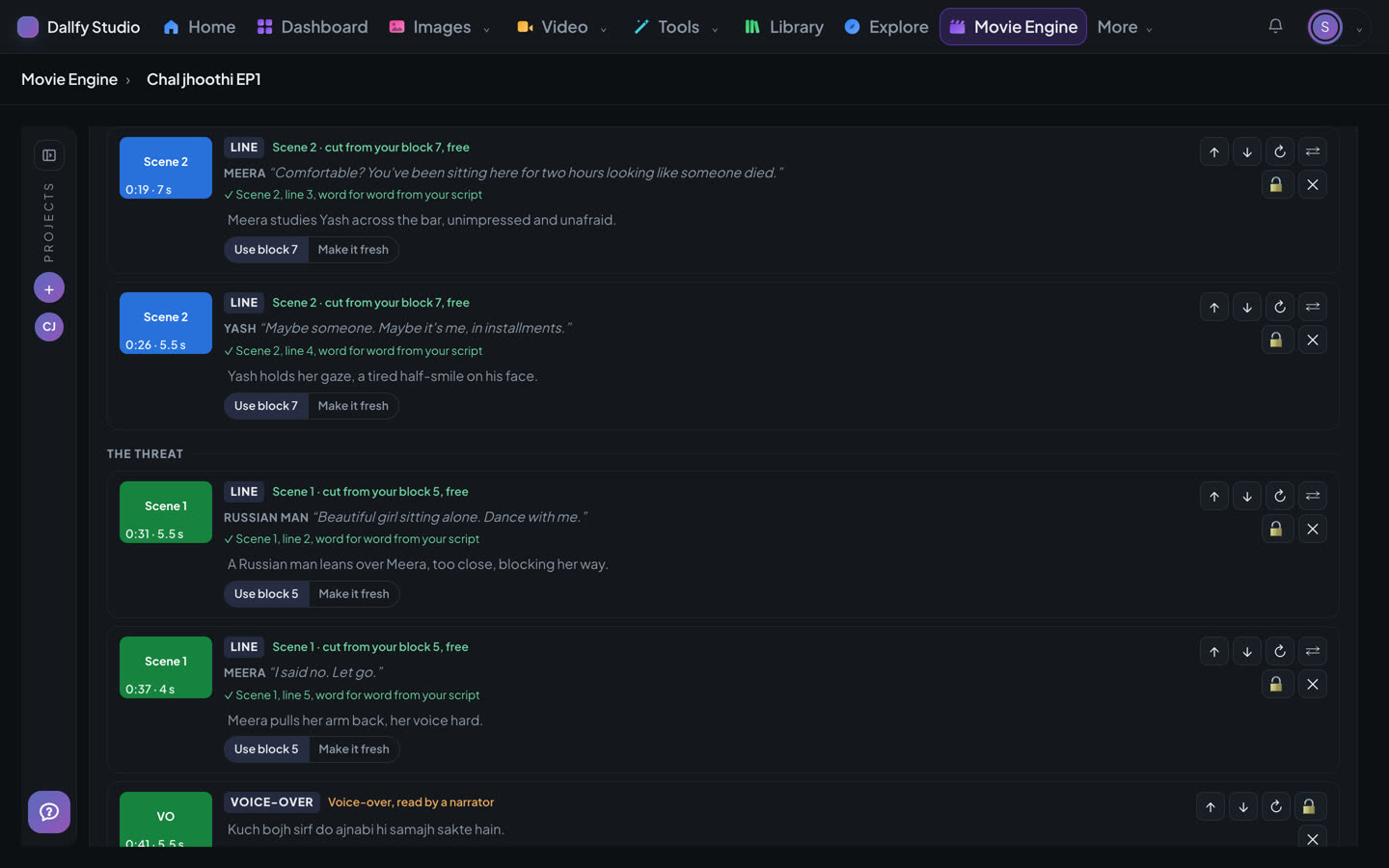
- 1A line beat — who says it, and which scene and line of your script it is.
- 2Cut it from your rendered block, or make a fresh shot instead —
- 3Write this one beat again —
- 4Lock a beat you like, so writing the trailer again keeps it —
Make it
Make it shows the price row by row and says what is free. Press Make the trailer, and a window shows the trailer being built.
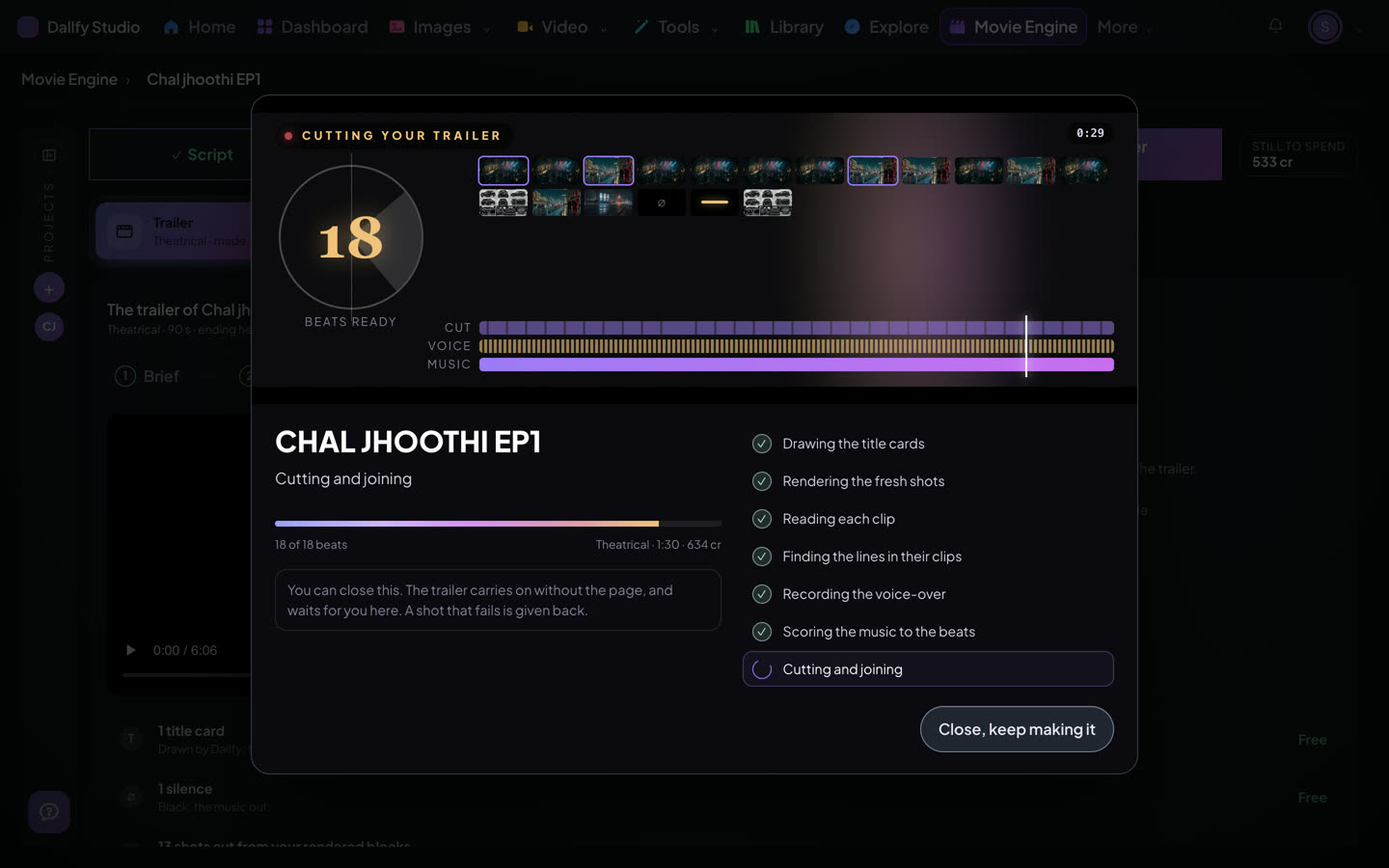
- 1The beats ready so far —
- 2One tile a beat. The fresh shots land as they come back —
- 3The cut, the voice-over and the music, filled in as they are made —
- 4The step it is on —
- 5Close it if you like. The trailer carries on without the page —
The finished trailer is with your film's exports, so Edit, Dubbing / Captions and Publish all find it. Get the layers downloads the picture, the dialogue, the music and the background as separate files.
Pick a poster idea
Open Poster. The writer reads your film first, then writes poster ideas from it, each from a scene and painted with your film's own faces and places.
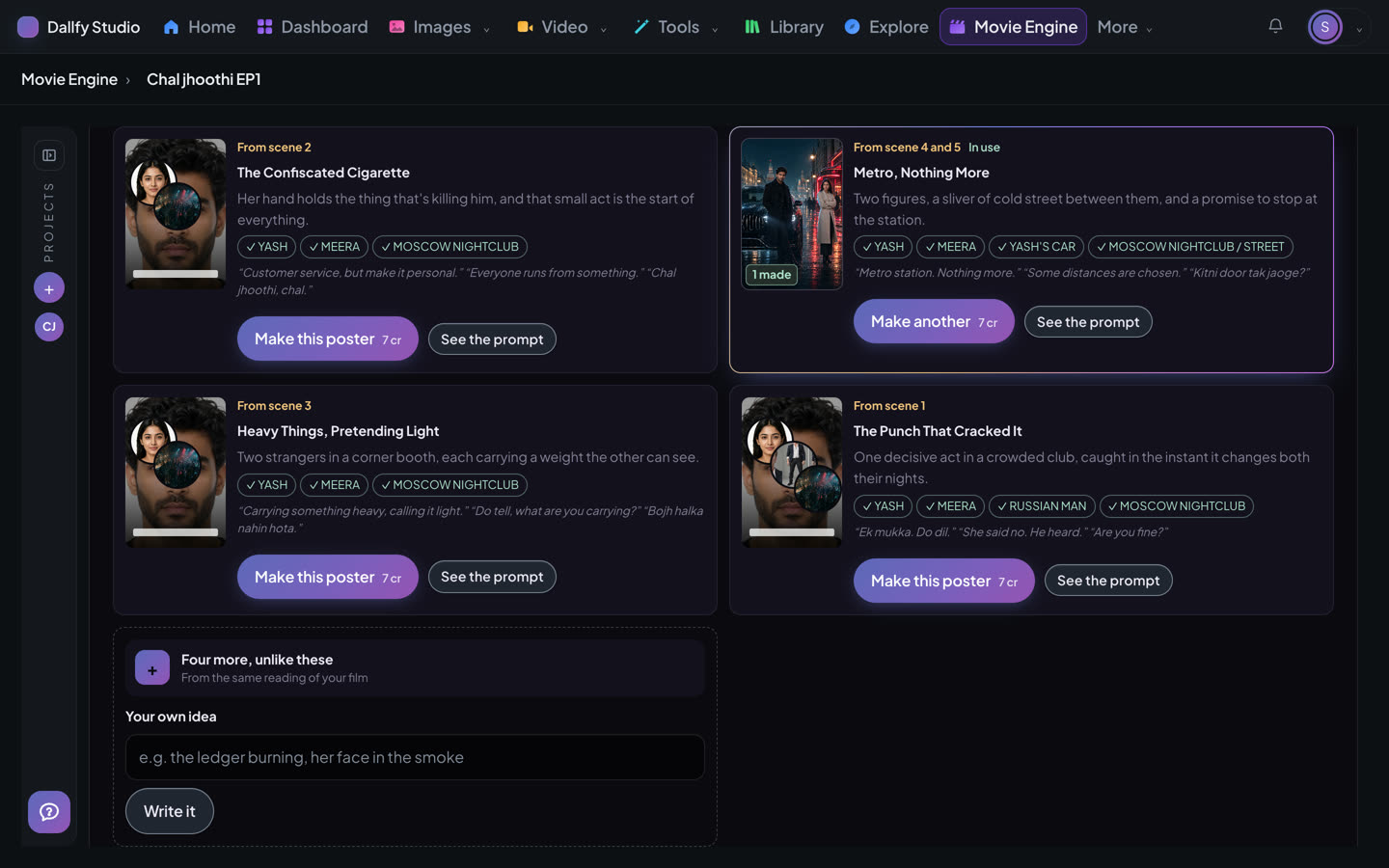
- 1The scene the idea comes from —
- 2The people and places it is painted with —
- 3Four more ideas, unlike these —
- 4Or say your own idea in a line —
Letter the title from one of the title treatments, then press Make this poster. Every poster you make is kept under Your posters, and Use this one switches between them for free. Press a title or a poster to see it big.
Every size
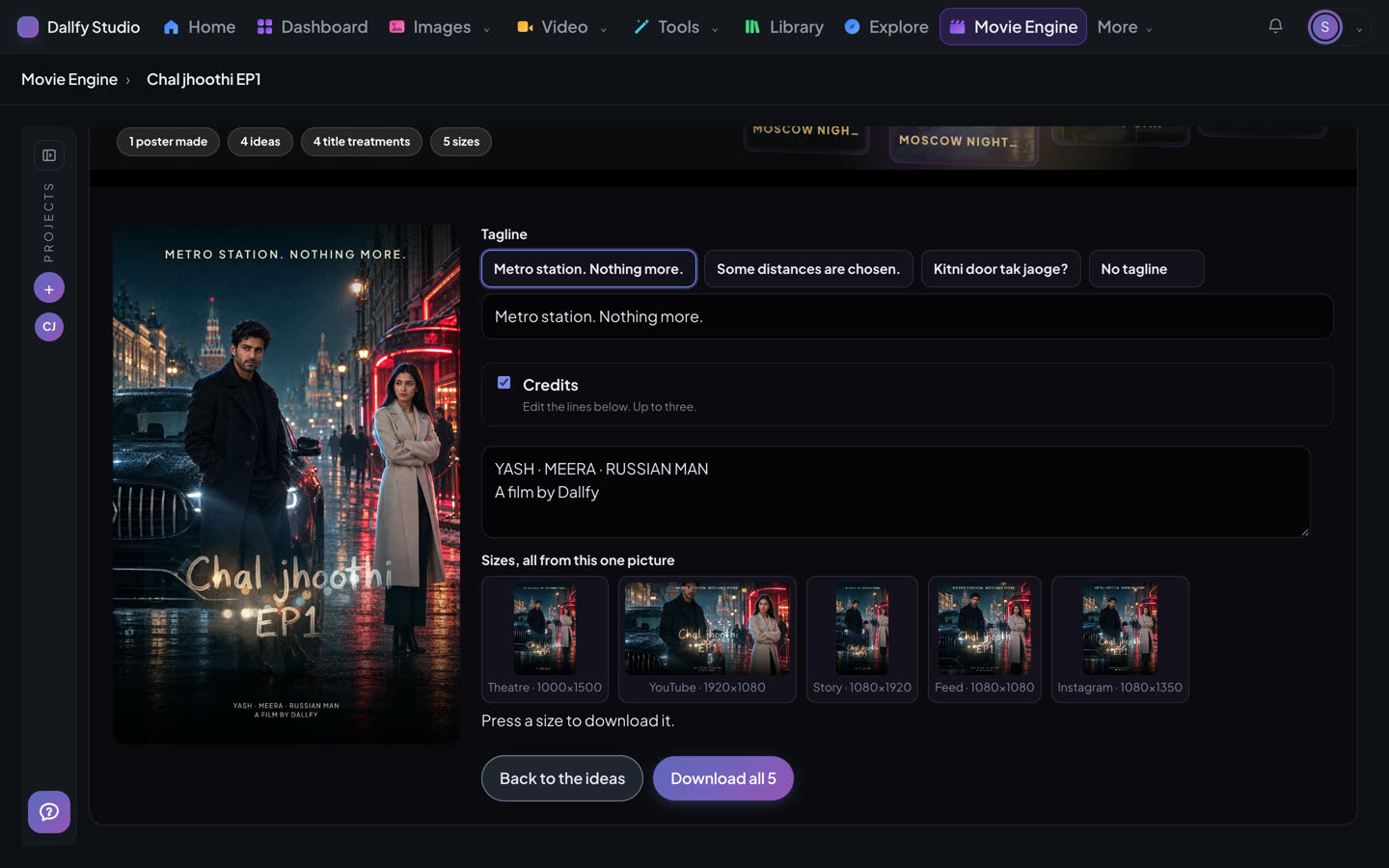
- 1Pick a tagline, or write your own —
- 2The credits, up to three lines —
- 3Theatre, YouTube, Story, Feed and Instagram, all from this one picture. Press one to download it —
- 4Download all five —